Description
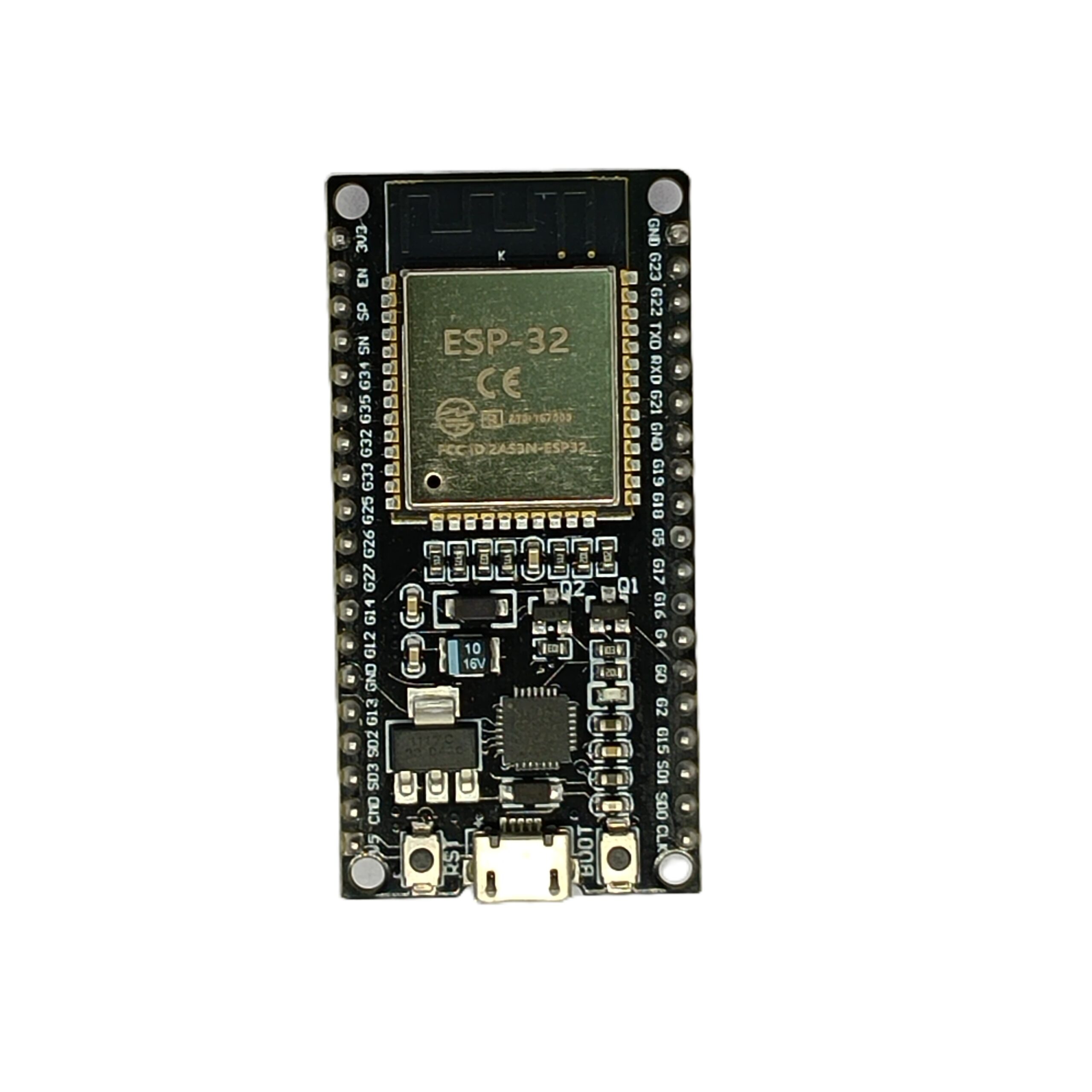
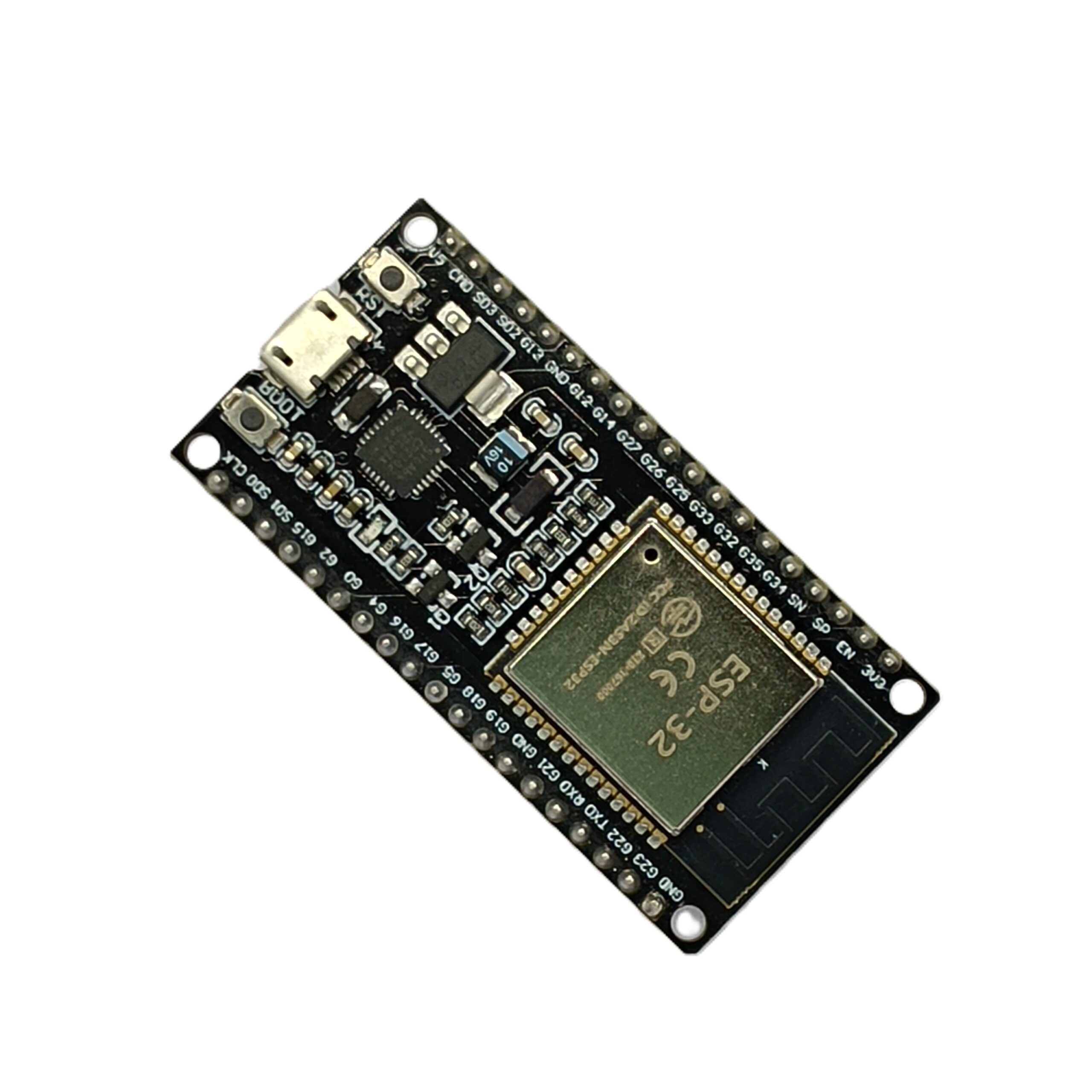
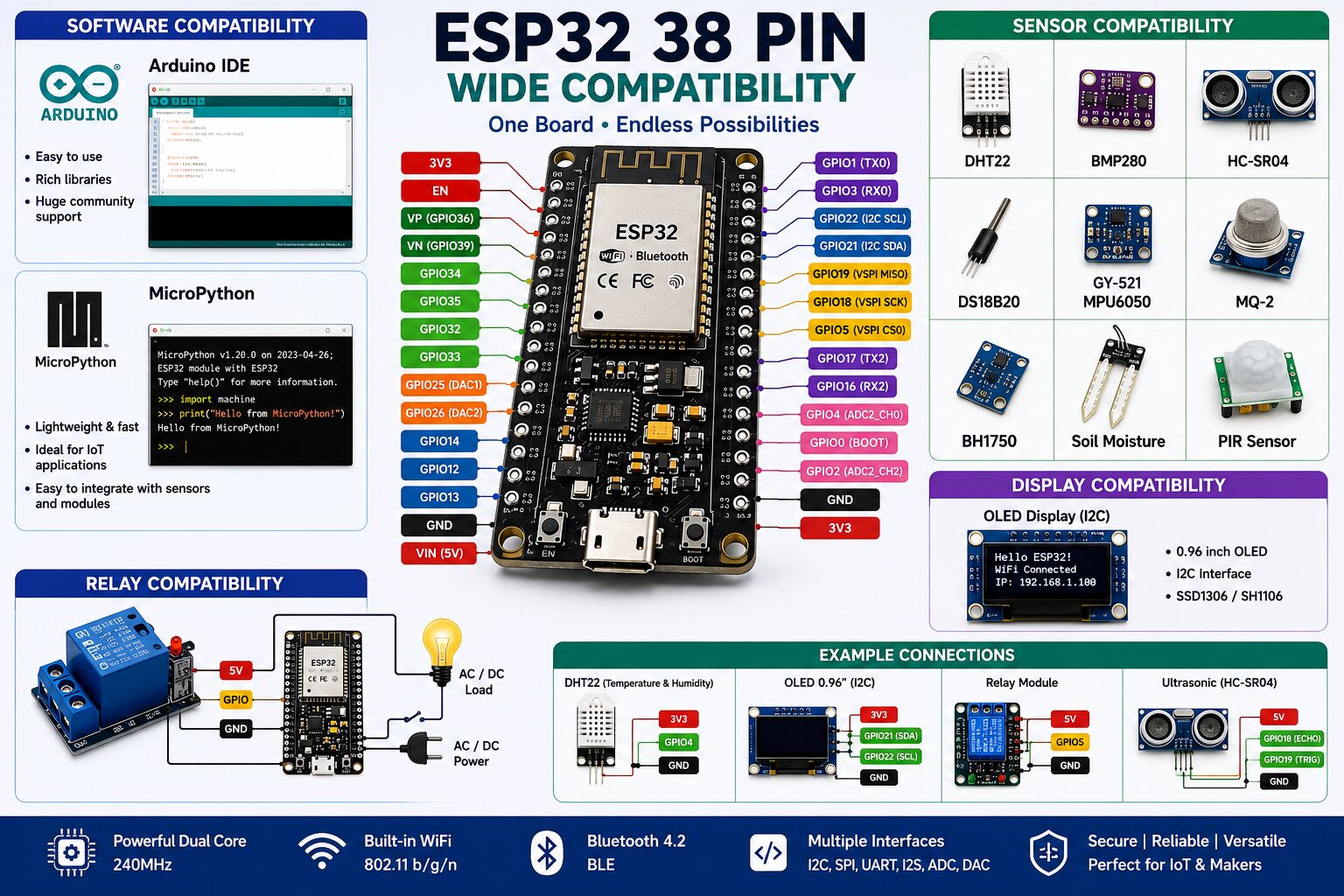
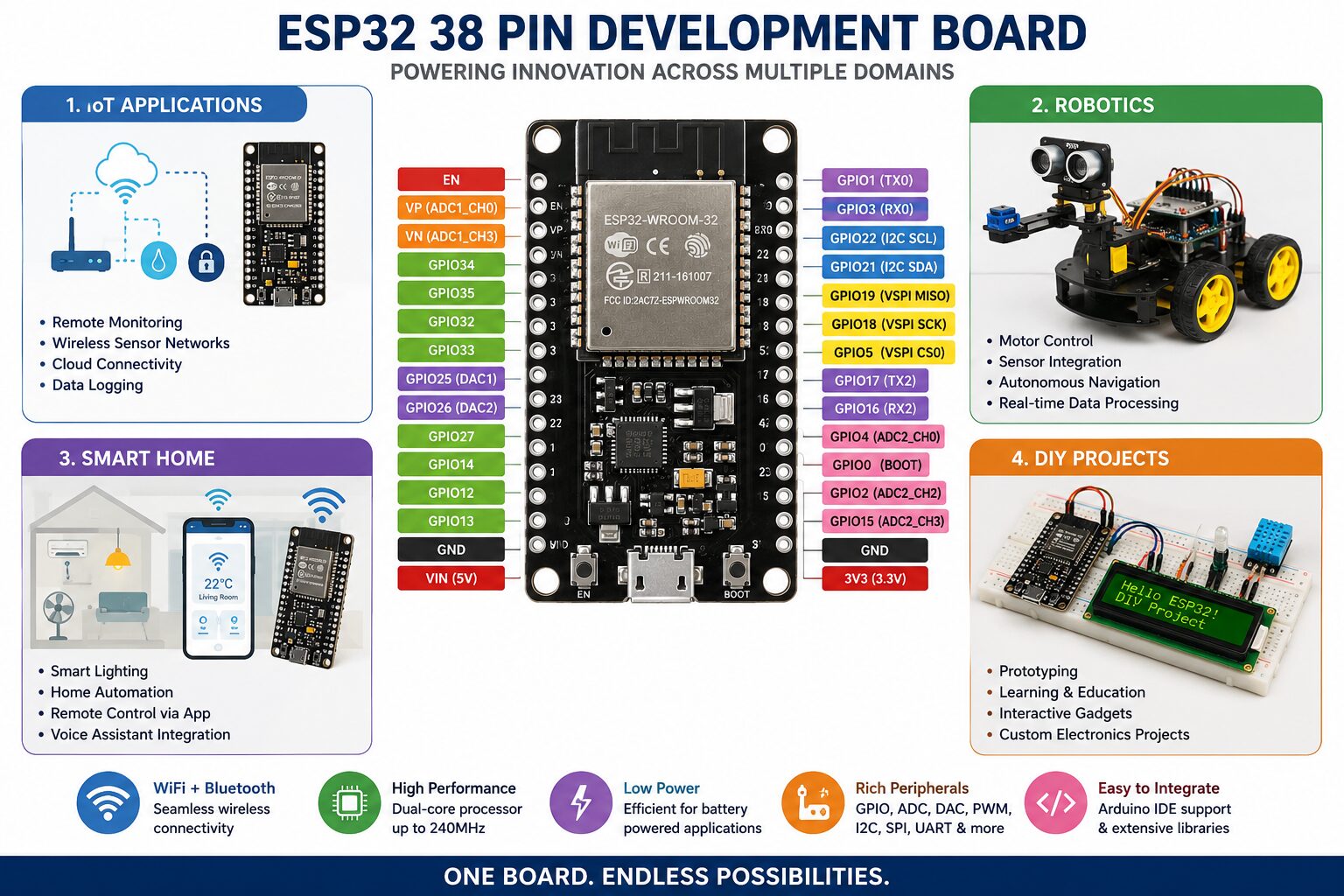
The ESP32 38-Pin Development Board is a versatile and cost-effective microcontroller platform perfect for a wide range of IoT, automation, and wireless communication projects. Powered by the ESP32 SoC, this board offers integrated WiFi and Bluetooth (BLE) capabilities, making it ideal for developing smart home devices, industrial control systems, robotics, and DIY electronics.
For the best IoT experience, you can pair this board with our LoRa SX1278 Module for long-range communication or integrate it with our 0.96-inch OLED Display for real-time data display. Need reliable power control? Combine it with our 2-Channel Relay Module with Optocoupler for safe switching of external devices.
Compatible with popular platforms like Arduino IDE, MicroPython, and PlatformIO, this ESP32 board is user-friendly for both beginners and professionals. The board features 38 GPIO pins, enabling you to connect a variety of sensors, actuators, and other peripherals—available in our IoT Components category.
Key Features:
-
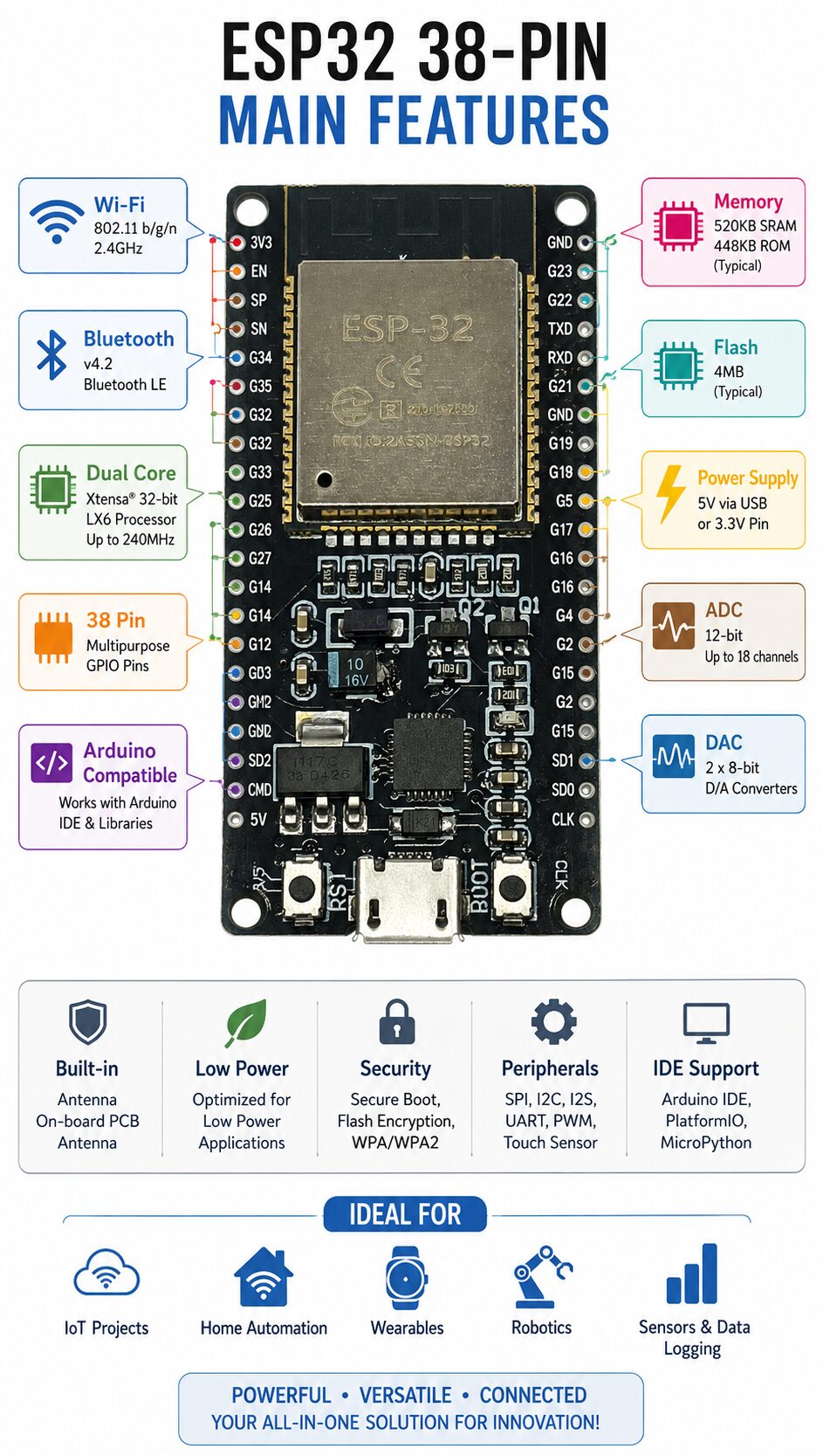
ESP32 Dual-Core 32-bit LX6 Processor
-
Built-in 2.4 GHz WiFi and Bluetooth 4.2 (BLE)
-
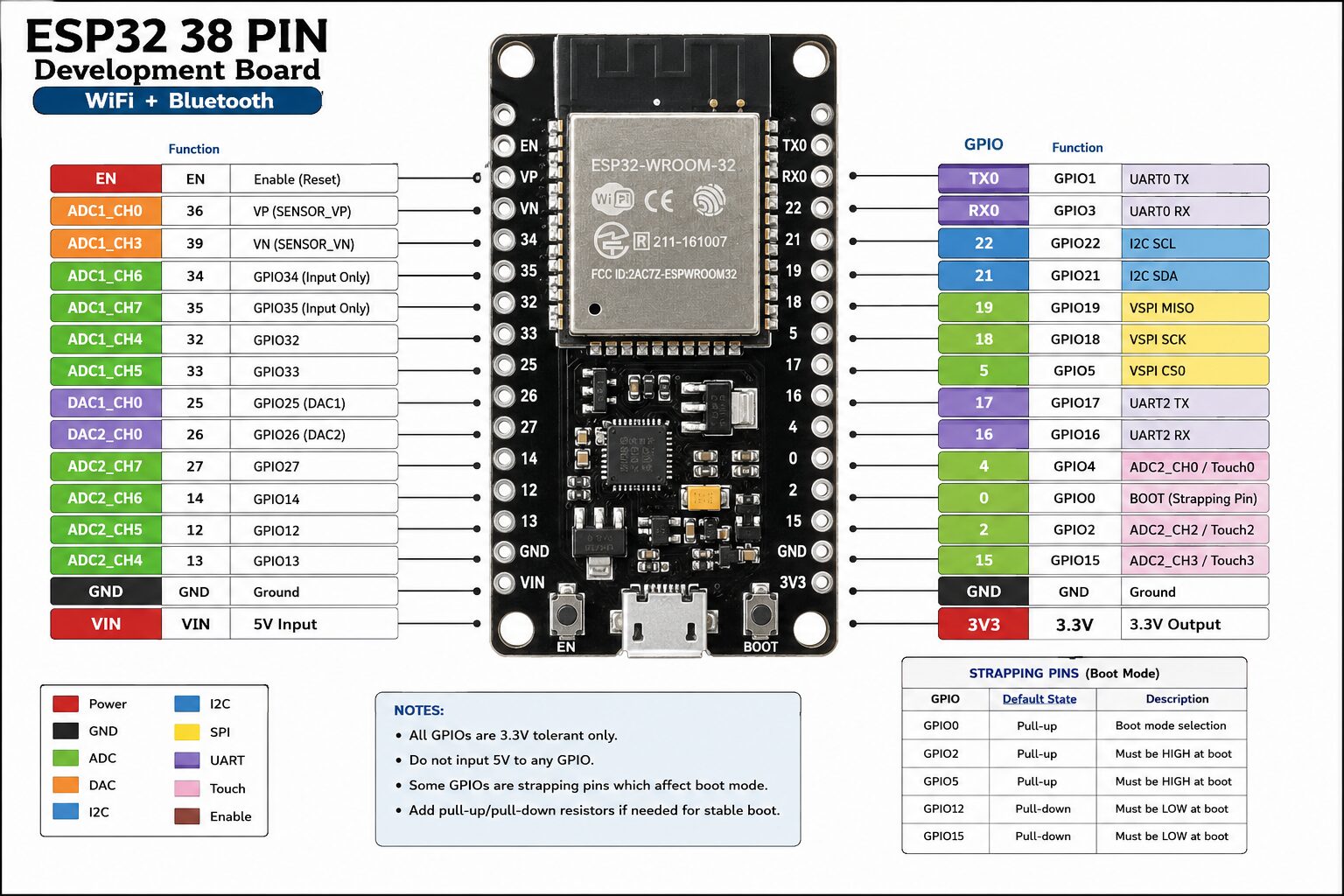
38 GPIO Pins supporting multiple digital and analog functions
-
Interfaces: UART, SPI, I2C, PWM, ADC, DAC
-
Ultra-low power operation modes ideal for battery-powered IoT devices
-
Supports Arduino IDE, MicroPython, and other environments
-
Onboard micro-USB connector for easy power and programming
-
Reset and boot buttons for firmware flashing
-
Breadboard-friendly form factor
Applications:
Specifications:
-
Chipset: ESP32 (Generic)
-
Operating Voltage: 3.3V (5V tolerant inputs)
-
Flash Memory: 4MB
-
Connectivity: WiFi IEEE 802.11 b/g/n, Bluetooth 4.2 BLE
-
Interfaces: GPIO, UART, SPI, I2C, ADC, DAC, PWM
-
USB Interface: Micro USB
-
Form Factor: 38-Pin, breadboard compatible
Package Includes:
Why Buy from Vihaan IoT Gateway?
-
100% genuine and QC-tested boards
-
Official GST invoice included
-
Free shipping on orders over ₹500 – explore our complete IoT Components range
-
Trusted by developers, students, and IoT enthusiasts across India
-
Dedicated technical support and guidance
VIG_ESP32_QC_Test
Processor: Dual-Core Xtensa LX6 up to 240 MHz
Wireless Connectivity: WiFi 802.11 b/g/n, Bluetooth 4.2 (BLE + BR/EDR)
Flash Memory: 4 MB
Operating Voltage: 3.3V
Input Voltage: 5V via Micro USB
GPIO Pins: Up to 30 Programmable GPIOs
ADC Channels: 18 (12-bit)
DAC Channels: 2 (8-bit)
Communication Interfaces: UART, SPI, I2C, I2S, CAN, PWM
USB Interface: Micro USB
Programming Support: Arduino IDE, ESP-IDF, MicroPython
Pin Count: 38 Pins
Onboard Buttons: EN (Reset), BOOT
ESP32 QC & Stability Test Firmware

The VIG ESP32 QC & Stability Test Firmware is designed to verify the functionality, stability, and reliability of your ESP32 development board. This utility helps identify hardware issues before deploying the board in IoT, automation, or embedded projects.

Features Tested
Compatibility
Installation Instructions

Step 1: Download Firmware

Download the VIG ESP32 QC & Stability Test firmware package.

Step 2: Extract Files

Extract the downloaded ZIP package to a convenient location on your computer.

Step 3: Open in Arduino IDE

Open the VIG_ESP32_QC_Test.ino file using Arduino IDE. Step 4: Configure WiFi Credentials Locate the WiFi configuration section in the source code and enter your WiFi SSID and password. Step 5: Connect ESP32 Board Connect your ESP32 development board to your computer using a Micro USB cable. Step 6: Upload Firmware Select the correct ESP32 board and COM port in Arduino IDE, then upload the firmware. Step 7: Open Serial Monitor After uploading, open the Serial Monitor and set the baud rate to 115200. Step 8: Verify Test Results Observe the serial output to verify:
-
LED operation
-
WiFi connection status
-
Automatic reconnection functionality
-
Memory usage and stability
-
CPU performance test results
Troubleshooting

Upload Failed
-
Verify the correct COM port is selected.
-
Press and hold the BOOT button during upload if required.
-
Ensure ESP32 board support is installed in Arduino IDE.
WiFi Not Connecting
No Serial Output
Disclaimer

This firmware is provided by Vihaan IoT Gateway for hardware testing, troubleshooting, and quality verification purposes. Test results may vary depending on board revision, firmware version, power supply quality, and operating conditions.
# ESP32 QC & Stability Test

This firmware is designed to verify the functionality and stability of ESP32 development boards before deployment.

## Tests Performed

* Built-in LED operation test
* WiFi connectivity verification
* Automatic WiFi reconnection testing
* Memory stability monitoring
* Basic CPU stress testing
* Continuous system health reporting

## Serial Monitor Settings

Baud Rate: 115200

## Configuration

Before uploading the firmware, update the following parameters with your WiFi credentials:

```cpp
const char* WIFI_SSID     = "YOUR_WIFI_NAME";
const char* WIFI_PASSWORD = "YOUR_WIFI_PASSWORD";
```

## Expected Results

After successful upload, the firmware will:

1. Blink the onboard LED.
2. Connect to the configured WiFi network.
3. Display IP address and signal strength.
4. Continuously monitor free memory.
5. Automatically reconnect if WiFi is lost.
6. Run a background CPU activity test to verify stability.

## Download

The complete source code is available in the Resources tab.
Only logged in customers who have purchased this product may leave a review.

Reviews
There are no reviews yet.